
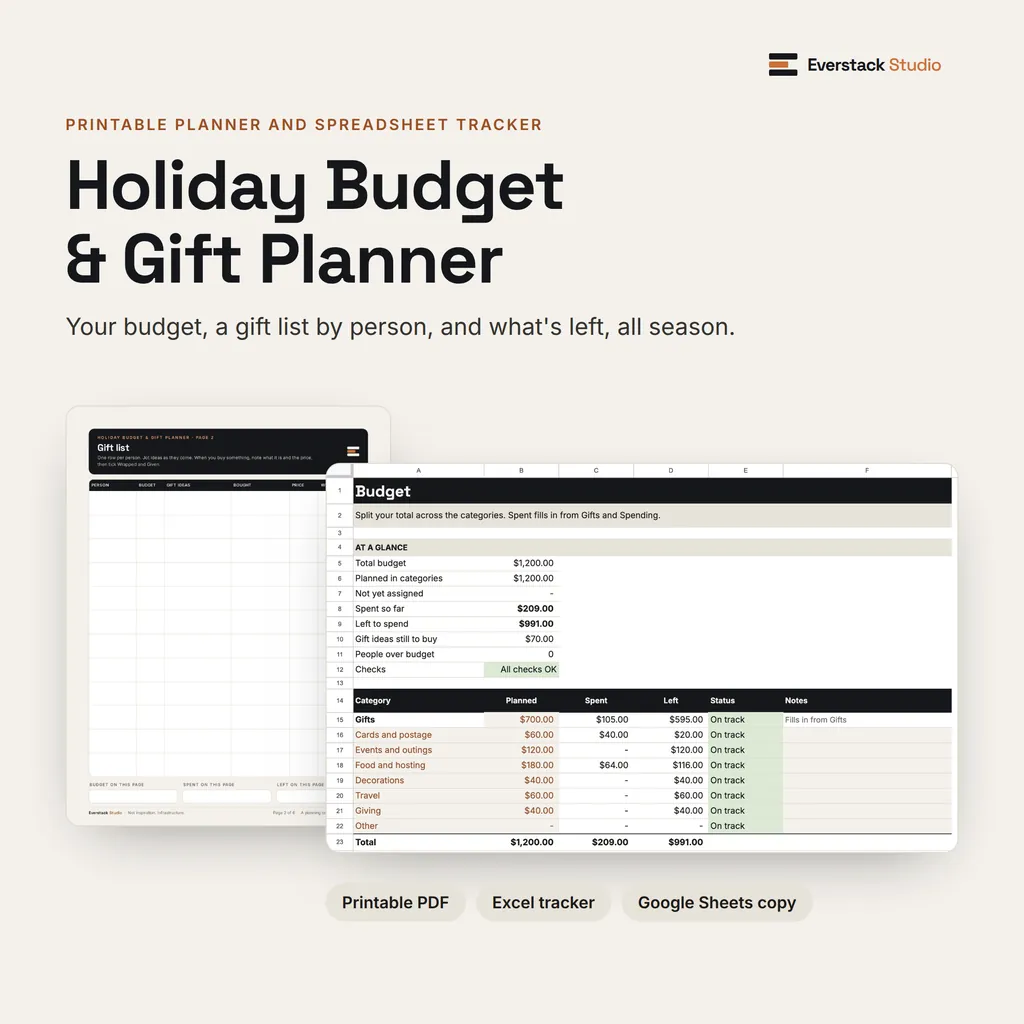
Holiday Budget & Gift Planner
$9Set one total, give each person a gift budget, and see what's left as you go. Printable planner, Excel tracker and a Google Sheets copy.
Planners, Excel workbooks and small apps for the jobs that pile up: holiday spending, performance reviews, annual bills, household paperwork. Buy once and keep the files.
One-time purchase · Instant download · 7-day refunds on orders from this site


Everything in the shop
 Sinking Fund Jars$6
 Payday Lineup$6
 Payoff Date Finder$8
 Holiday Budget & Gift Planner$9
 90-Day Cash-Flow Reset$29
 Annual Expense & Sinking-Fund Map$19
 Couples Money Meeting System$12
 Debt Payoff Decision Lab$24
 Retirement Readiness Range Planner$39
 Review Cycle Kit for Managers$29
 Weekly Reset SystemFree
 Life Admin Control Center$49
 AI Manager Workflow KitFrom $29
Two tools for the jobs that land in November and December.

Set one total, give each person a gift budget, and see what's left as you go. Printable planner, Excel tracker and a Google Sheets copy.
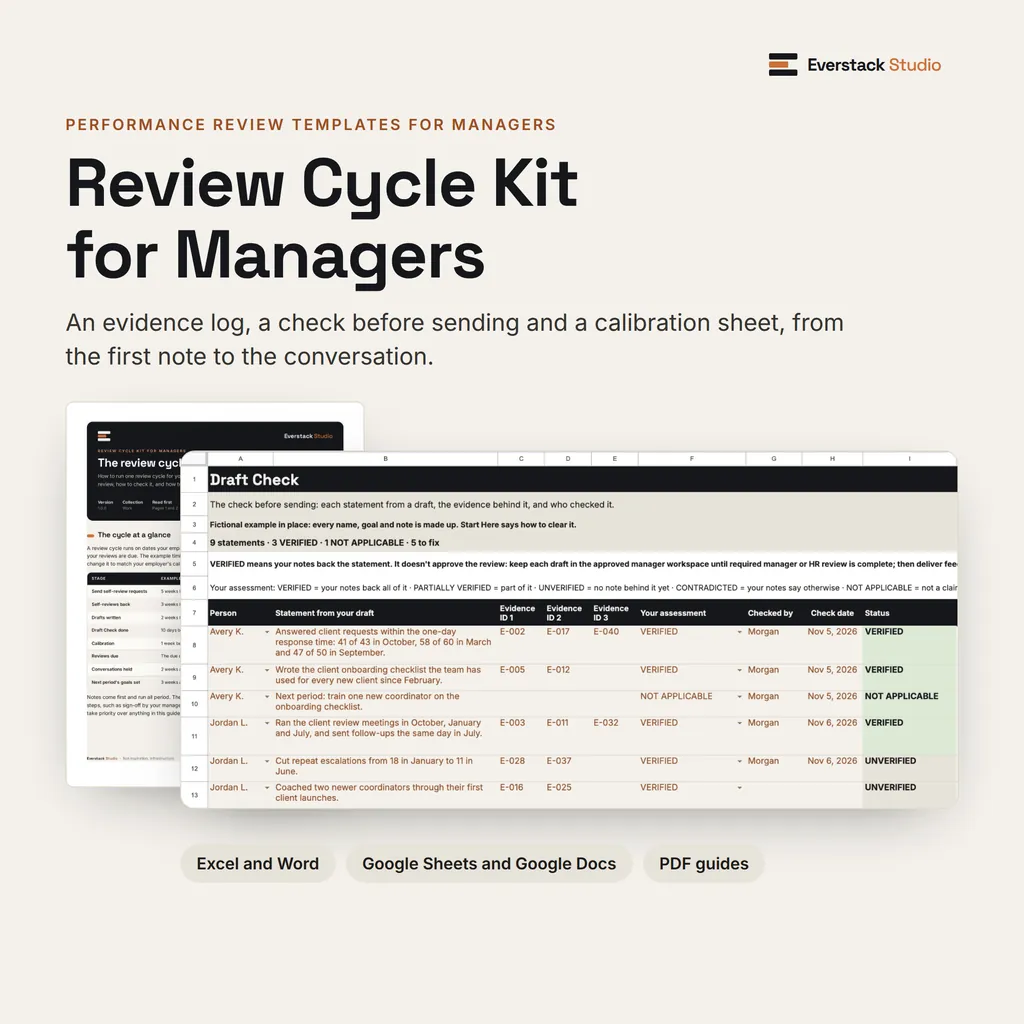
Keep dated notes on each direct report, draft from them, and check every statement before it goes into your company's form.
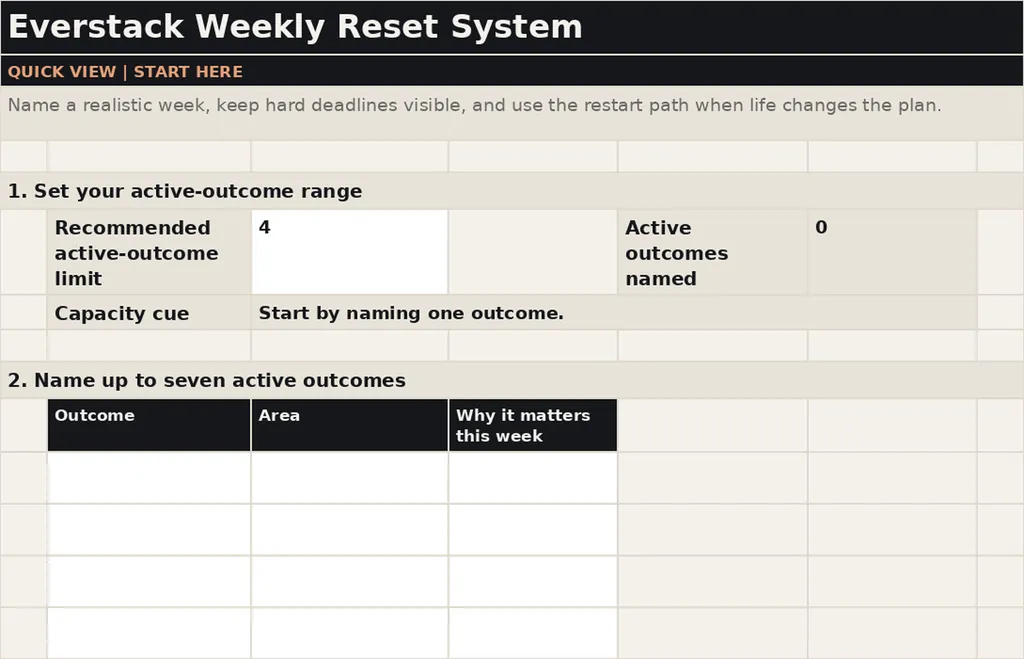
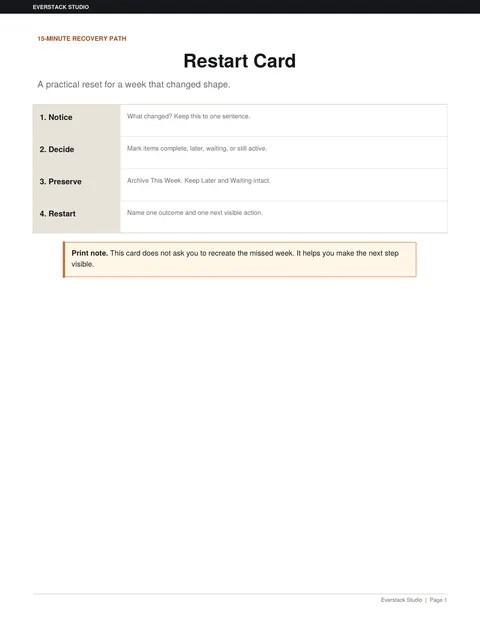
Plan a week you can finish, and restart without rebuilding when it goes sideways. You get a double-click app, an editable Excel workbook, printable reset sheets in US Letter and A4, and a Restart Card.
No install or account · Works offline · First use takes about ten minutes
Not sure where your week goes? Take the free Weekly Load Check (12 questions).
Each tool does one job from start to finish, with the steps written down.

Paycheck budgets, sinking funds, debt payoff, holiday spending, 13-week cash flow, couples' money meetings and retirement ranges. Excel workbooks with visible formulas and no bank connection.
Browse Money
Performance review templates for managers, with dated notes, a draft template and a check before you send.
Browse Work
The Life Admin Control Center for renewals, paperwork and follow-ups, plus the free Weekly Reset System.
Browse Productivity
The AI Manager Workflow Kit, with workflows and prompts for meeting notes, delegation and status updates, in three sizes.
See the kitPlain how-tos for the same jobs our tools handle.

Pick one total, split it into categories, and give every person a gift number. A step-by-step holiday budget with a worked $1,200 example.

A three-week plan for writing performance reviews: gather dated notes, ask for self-reviews, draft from evidence, and check every statement first.

A weekly reset closes out last week and sets a realistic load for the next one. Six steps, a checklist, and a free template with a double-click app.
Everstack Studio is one person: me, Jason Rathjen, in Waterloo, Iowa. I build each planner, workbook and app myself, and every product page lists exactly which files you get and what they won't do. If a file is broken, email support@everstackstudio.com and I'll fix it.
More about the studioYou'll get a download link on your order confirmation page and by email. Each product page lists exactly which files you get.
You'll need a web browser and a PDF reader. Our editable workbooks are built for desktop Microsoft Excel on Windows or Mac, and most products also include a double-click app that runs in your browser with no install or account. Each product page lists its exact requirements. If a product includes a Google Sheets copy, its page says so.
Yes. Workbooks and editable templates can be adapted to your household, business, or workflow. Some files are printable PDFs, and each product page says which files are editable.
Fixes and minor updates to the version you bought are free when we release them. A future major version is a separate product unless its page says otherwise.
If you bought on everstackstudio.com, you can get a full refund within 7 days of your order. Email support@everstackstudio.com with your order number; you don't need to give a reason. If a file is broken, email us anytime and we'll fix it.